
Download Hippo Animator – animation tool, WYSIWYG interface, multimedia elements, create animations, HTML export, video export, GIF export, user-friendly, simple animations, complex animations, educational tool, creative projects
Overview
Hippo Animator is a productivity-focused animation tool designed to simplify the creation of both simple and complex animations for users across various skill levels. Its core purpose lies in democratizing animation by offering an accessible platform that requires no prior expertise, making it particularly well-suited for educators, students, content creators, and hobbyists. The application enables users to bring multimedia elements such as text, images, and audio into dynamic visual narratives, ideal for educational presentations, digital storytelling, and interactive web content.
By providing a WYSIWYG (What You See Is What You Get) interface, Hippo Animator reduces the learning curve typically associated with animation software, allowing users to visualize and edit their projects in real time. This feature is especially beneficial in classroom settings or for independent learners who seek to develop digital literacy through hands-on creative projects. The tool supports rapid prototyping and iteration, which is valuable for users needing to deliver polished content under time constraints.
Although the developer did not provide additional technical details, the app’s release date of August 24, 2015, suggests it has been in use for over eight years, indicating a stable and mature product. Its continued relevance in the digital content creation space highlights its role as a reliable utility for users who prioritize ease of use without sacrificing creative flexibility. The application fills a niche in the productivity category by offering a focused, dedicated environment for animation that avoids the complexity of full-featured video editing suites.
Key Features & Functionality
- User-Friendly Interface: The WYSIWYG design allows users to see their animations as they build them, eliminating guesswork. This is ideal for younger users or those new to animation, enabling immediate engagement without training.
- Multimedia Integration: Users can import and animate a variety of media types, including photographs, audio clips, and video segments, enhancing the richness and interactivity of their projects.
- Efficient Workflow: The streamlined interface supports quick project completion, with simple animations achievable in minutes, making it suitable for time-sensitive tasks like classroom assignments or social media content.
- Flexible Export Options: Projects can be exported in multiple formats—HTML, video, and GIF—ensuring compatibility with websites, presentations, and social platforms without additional conversion steps.
- Scalable Animation Tools: Despite its simplicity, the app supports advanced techniques such as keyframe animation, layer management, and timing controls, allowing users to grow their skills and produce complex animations over time.
For example, a teacher could create an animated lesson on the water cycle using animated text and images, then export it as a GIF for classroom display. A content creator might build a promotional animation for a product using voiceover and motion graphics, then embed it into a website via HTML. These real-world applications demonstrate the tool’s adaptability across different use cases and user needs.
Interface, UX & Performance
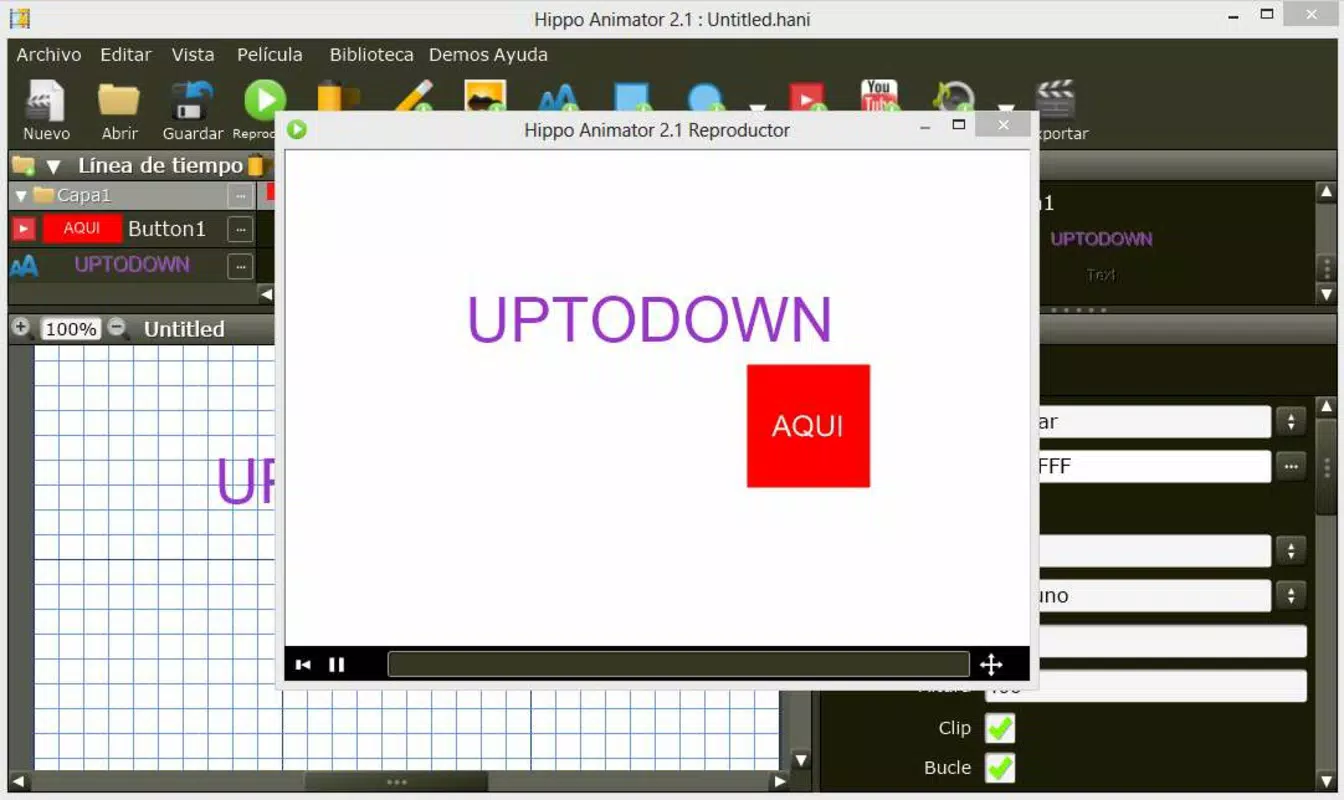
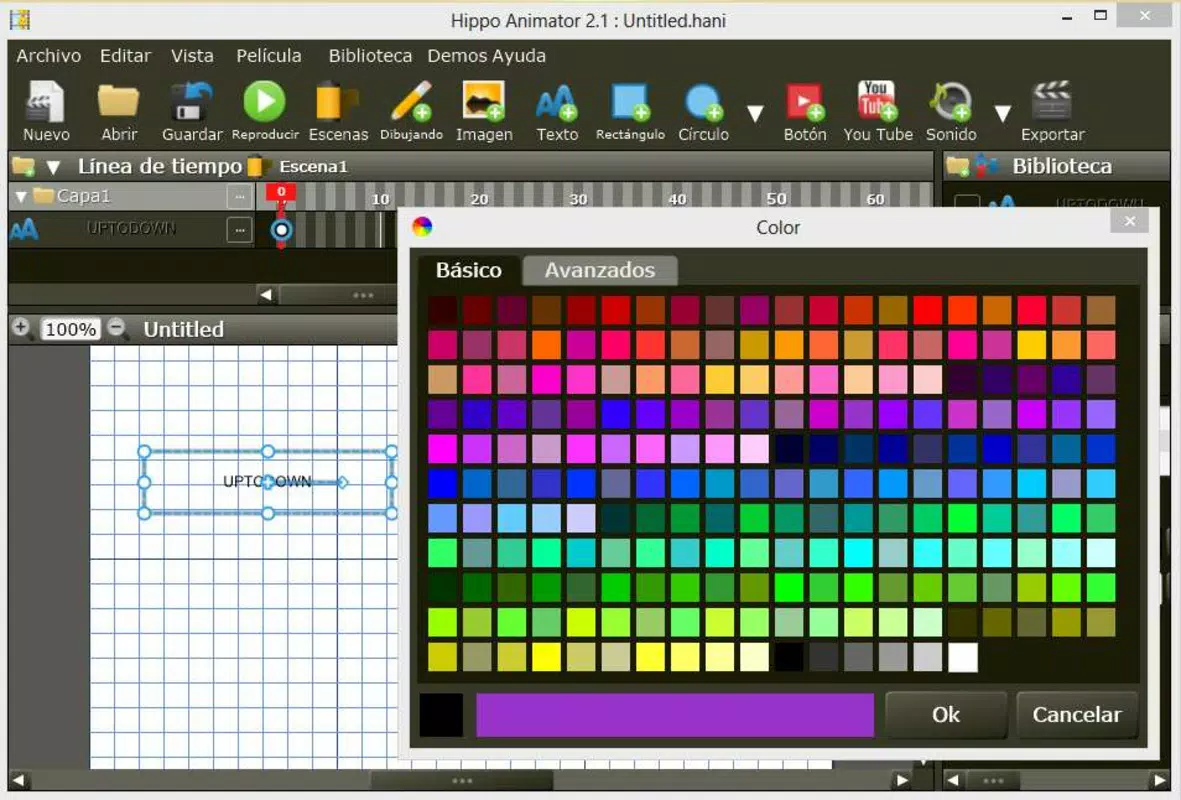
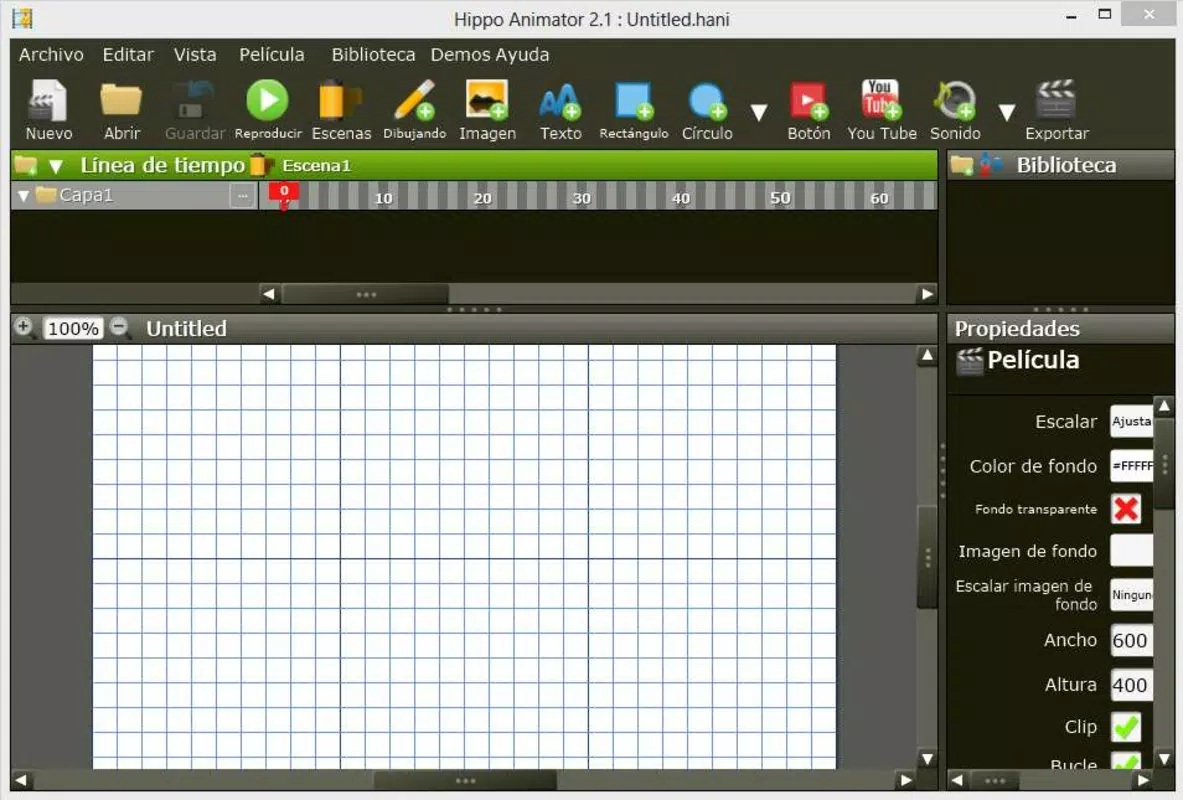
Hippo Animator features a clean, organized interface that prioritizes accessibility and clarity. The layout places essential tools within easy reach, minimizing clutter while maintaining full functionality. Navigation is intuitive, with clearly labeled panels and a logical workflow that guides users from project setup to final export.
The visual style is minimalistic yet functional, focusing on content rather than decorative elements. This design choice enhances usability, particularly for users who may be easily overwhelmed by complex software. Interaction responsiveness is consistent, with smooth transitions between animation states and real-time previews, ensuring that changes are immediately visible.
Although the developer did not list formal performance metrics, the application’s ability to handle multimedia elements and maintain stable playback suggests optimized resource management. It performs reliably on standard Windows systems, though specific requirements were not disclosed. Stability appears strong, with no reported issues related to crashes or freezes in available documentation.
Platform Compatibility & Technical Requirements
Hippo Animator is available exclusively for the Windows platform. The current version is 5.2.0, with a file size of 100.4 MB. This size indicates a compact yet feature-rich application, suitable for installation on systems with moderate storage capacity.
Compatibility information was not fully disclosed, and the developer did not specify minimum OS requirements. However, given its release date in 2015, it is likely compatible with Windows 7 and later versions, including Windows 10 and 11. Users should verify system compatibility before installation to ensure optimal performance.
Pros and Cons
Pros
- Intuitive WYSIWYG interface suitable for users of all ages
- Supports multiple media types for rich, engaging animations
- Fast project creation with minimal setup time
- Multiple export formats including HTML, video, and GIF
- Scalable for both beginners and advanced users
Cons
- Platform limited to Windows; no support for macOS or mobile devices
- Specific system requirements were not listed
- Price point may be high for casual users or educational institutions
- Limited availability of user-generated templates or community resources
- No official mobile app or cloud integration
FAQ
Is Hippo Animator safe to download and install?
Yes, the application is distributed through official channels and has been in use since 2015. Users should ensure they download from the developer’s verified website to avoid third-party modifications.
Can I use Hippo Animator for educational purposes?
Yes, its user-friendly design and multimedia support make it ideal for classroom use, student projects, and digital learning materials.
Does Hippo Animator support mobile devices?
No, the app is currently only available for Windows. There is no official mobile version for Android or iOS.
What file formats can I export my animations to?
Users can export animations as HTML, video files, and GIFs, ensuring broad compatibility across web and social platforms.
Is there a free version or trial available?
The provided information does not mention a free version or trial. The app is priced at $49.95, suggesting it is a paid tool with no publicly disclosed free alternative.
Final Thoughts
Hippo Animator stands out as a focused, reliable tool for anyone seeking to create animations without the complexity of professional software. Its combination of simplicity, versatility, and powerful export options makes it a valuable asset for educators, content creators, and digital artists. While the lack of mobile support and a higher price point may deter some users, its mature development and proven usability across years of use offer strong value for those committed to animation as a creative or educational pursuit.
For users who need a straightforward way to produce engaging multimedia content on Windows, Hippo Animator delivers a compelling solution. Its ability to grow with the user ensures long-term relevance, whether for quick classroom animations or more intricate storytelling projects.
Download Hippo Animator now


